Resident mobile app
Help residents manage their day, wherever they are.
Help residents track sobriety, check in to meetings, and manage their account. With Diamond, mood alerts give your house team a prompt to reach out and offer support.Help residents track progress and manage their day, with mood alerts that prompt your team to check in.
Included with Diamond. Paid subscription required.
What you can do
Everyday tools for your residents.
Track sobriety milestones
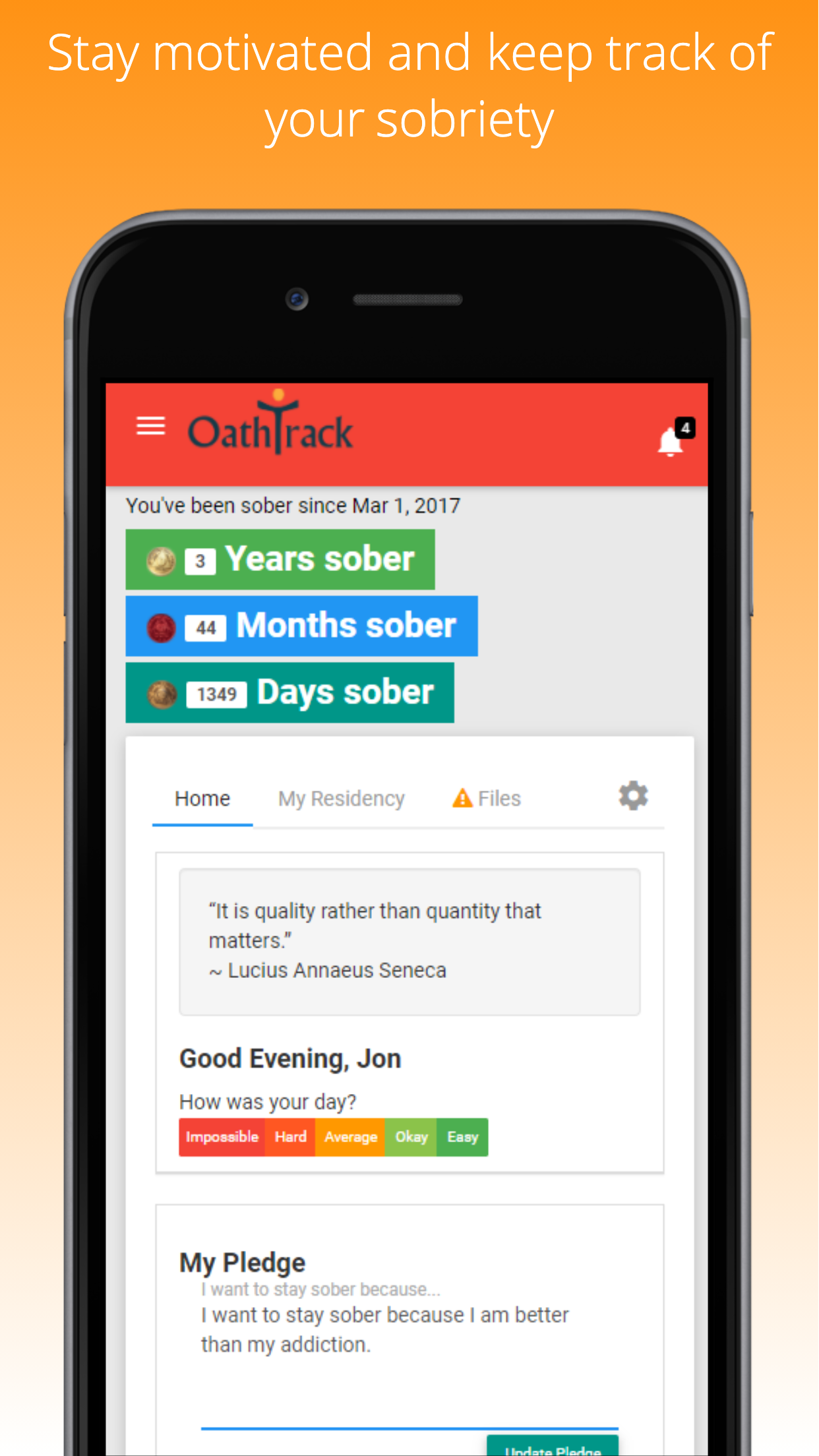
Residents can see their sobriety milestones, make a personal pledge, and read daily reflections.
Check in to meetings
Residents can check in to house meetings created by staff or start their own event check-in. Location features require permission on their device.
View balances and documents
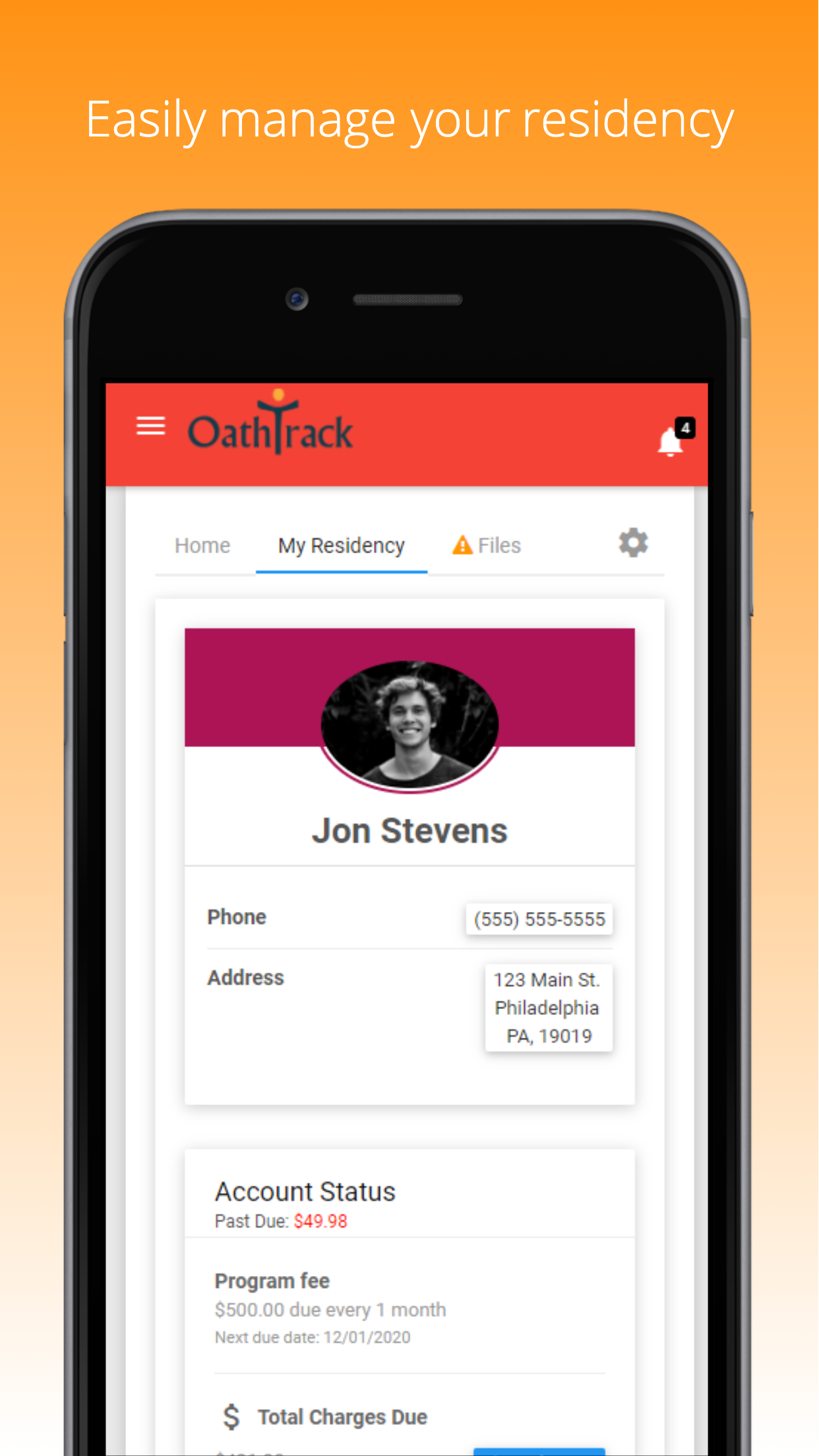
Residents can see their account balance, access shared documents, and make online payments once your house has set up payment processing.
- Keep sobriety milestones in view.
- Check in to meetings; location features need device permission.
- View balances and documents; pay online when your house enables payments.
Proactive resident support
Know when a resident may need a check-in.
Resident mood alerts notify your house team about changes that may need attention, so staff can reach out sooner and offer support. Keep a personal conversation at the center of your response.
See mood alerts in a demo- Notice changes in residents’ reported moods.
- Give the house team a prompt to follow up.
- Reach out, listen, and discuss the support the resident needs.
Mood alerts are included with Diamond.
How it works
Get residents started with an email invitation.
Send an invitation from Master Lists → Resident List or the Client Portal tab of a resident’s chart. The resident completes account setup from that email, then signs in through the resident app or web portal.
View setup instructions
Send an invitation from Master Lists → Resident List or the Client Portal tab of a resident’s chart. The resident completes account setup from that email, then signs in through the resident app or web portal.
- Send an invitation to the resident’s email address.
- Ask them to complete setup from the invitation.
- Have them sign in to the resident app or web portal.
Before you get started
Plans & common questions.
Diamond includes resident portal access, mood alerts, house meetings, GPS features, and Oathtrack Chat. Book a demo to explore these tools before starting a paid Diamond subscription.
Compare plansDo residents use the staff login?
No. After completing their invitation, residents sign in through the resident app or resident.oathtrack.com. Staff use the separate staff login.
Can residents use iPhone, Android, or a browser?
Oathtrack has resident apps for iPhone and Android, as well as a web portal at resident.oathtrack.com. Visit our apps page for download links.
Do residents control location sharing?
Yes. Residents control location permission on their device, and staff can see whether sharing is enabled. GPS check-ins and location history depend on that permission.
How do mood alerts help our team?
Mood alerts prompt the house team to reach out when a resident’s reported mood needs attention. They support earlier conversations and follow-up; they do not predict or guarantee prevention of relapse.
How do residents communicate with staff?
Oathtrack Chat is a separate app for direct messages, group conversations, and sharing files or photos. It is included with Diamond.
Ready to get started?
See how Oathtrack connects residents and staff.
Explore resident check-ins, account access, and mood alerts in a guided demo.
Included with Diamond. Paid subscription required.