
Resident management
Manage clients from intake to discharge, and even after.
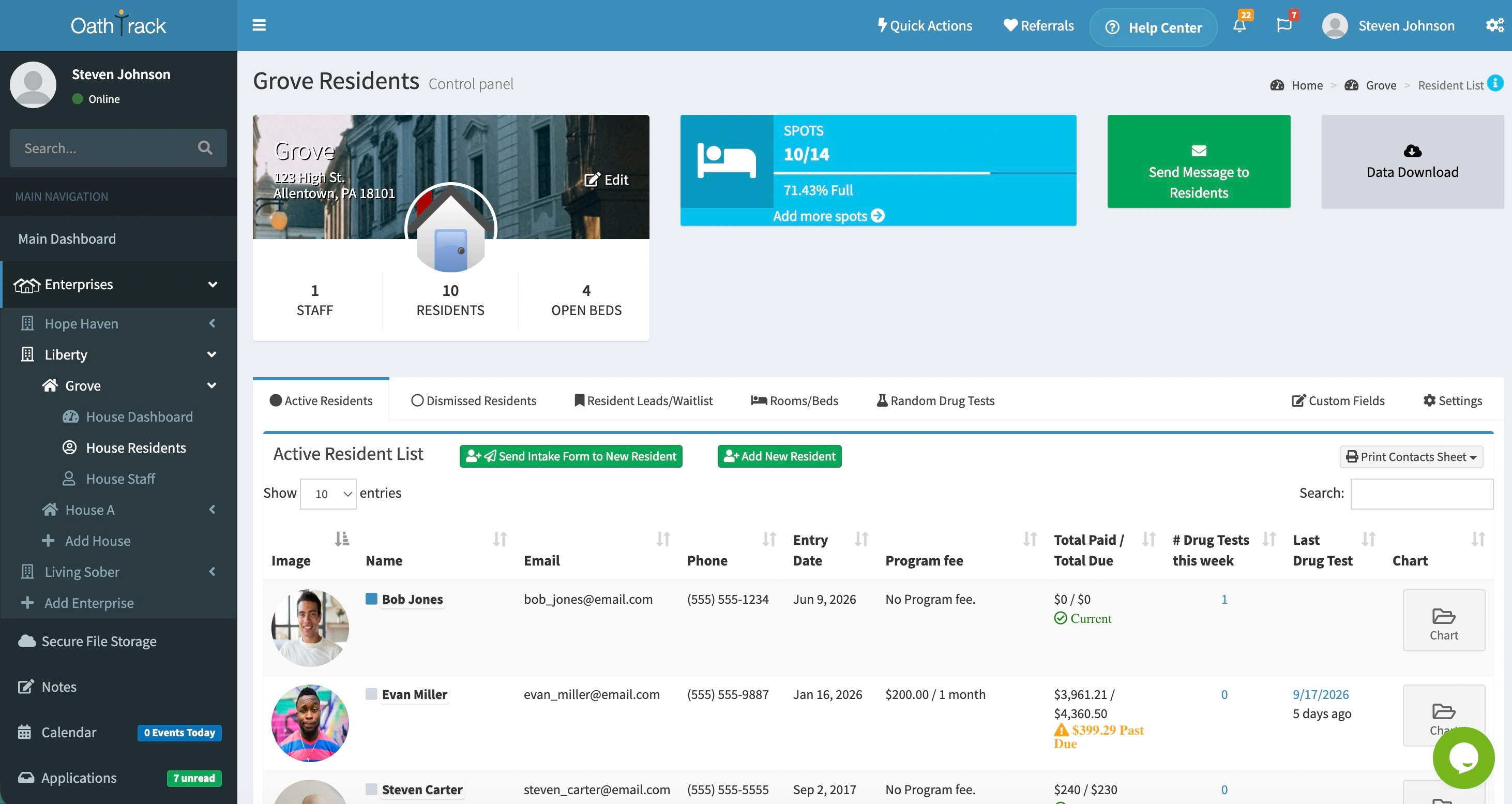
Keep resident profiles, notes, documents, drug test results, and house occupancy organized in Oathtrack so staff can find what they need.Keep resident records, staff updates, and house occupancy together.
No credit card required.
What you can do
The resident information your team needs.
Keep a complete resident record
Find contact information, staff notes, documents, and drug test results in each resident’s chart.
See who is in each house
Assign residents to rooms and beds. Use the house dashboard to review occupancy, open beds, and resident balances.
Keep staff informed
Record updates where the next shift can find them. Control access by staff role and house assignment.
- Find notes, documents, and test results in one chart.
- See open beds and resident balances at a glance.
- Help the next shift pick up where you left off.
How it works
Start with a resident profile. Build a useful history.
Open the House Residents page for the right house and choose Add New Resident. Enter their contact information and move-in date, then set their rent schedule and assign a bed. Staff can add updates throughout their stay and record their departure when they leave.
View setup instructions
Open the House Residents page for the right house and choose Add New Resident. Enter their contact information and move-in date, then set their rent schedule and assign a bed. Staff can add updates throughout their stay and record their departure when they leave.
- Create the resident’s profile in the correct house.
- Add notes, documents, payments, and drug test results.
- Record their discharge and keep their history available.
Before you get started
Plans & common questions.
Basics includes charge and payment tracking and drug test records. Professional and Diamond add clinical data, custom chart fields, and custom intake forms.
Compare plansCan we customize resident records?
Yes. Professional and Diamond include custom chart fields and a custom intake form builder, so you can collect the information your program needs.
Can staff access every house?
Staff access depends on their assigned role and house permissions. Give each person access to the houses and information they need.
Can we transfer a resident to another house?
Yes. Open the resident’s chart and choose Transfer Resident to move them to another house in your organization.
Ready to get started?
See how Oathtrack works for your home.
Start a free trial, or book a guided demo with our team.
No credit card required.